Use Case
Certificate PDF generation at scale
Generate personalized certificates for course completions, events, awards, and more. Design the template once, then render thousands with unique recipient data via a single API call per certificate.
Manual certificate pain
- Creating certificates one by one in design tools
- Mail merge with Word = formatting breaks at scale
- No way to integrate with LMS or event platforms
Automated with templates
- Design certificate template with AI chat — no code needed
- Pass recipient name, course, date, and ID via API
- Batch render thousands — consistent quality every time
Generate a certificate with one API call
const cert = await fetch('https://api.pdfs.build/v2/organizations/org_abc/templates/course-certificate/render', {
  method: 'POST',
  headers: {
    'Authorization': `Bearer ${API_KEY}`,
    'Content-Type': 'application/json'
  },
  body: JSON.stringify({
    data: {
      recipient: 'Sarah Chen',
      course: 'Advanced Data Engineering',
      completion_date: '2025-01-15',
      certificate_id: 'CERT-2025-1042',
      instructor: 'Dr. James Miller'
    }
  })
})
Issuing a thousand at once
Certificates are almost never generated one at a time. A cohort finishes, a course closes, a compliance window ends — and several hundred documents need to exist, each identical in design and different in exactly four fields. The call above is the whole unit of work; issuing in bulk is that call in a loop over your recipient list.
Verifiable IDs
Pass your own certificate number in the payload and it is printed on the document — so a recipient can quote it and you can look it up.
A record of who got what
Every issuance is logged with its template and timestamp. "Did Sarah Chen's certificate ever render?" is a query, not a guess.
Re-issue on demand
A lost certificate is the same request again. Nothing is stored that has to be regenerated from a stale copy.
The part that ruins certificates
A certificate is one page with almost nothing on it, which is precisely why it goes wrong: there is nowhere for an unexpectedly long name to hide. Every certificate design is authored against that case rather than against the demo data:
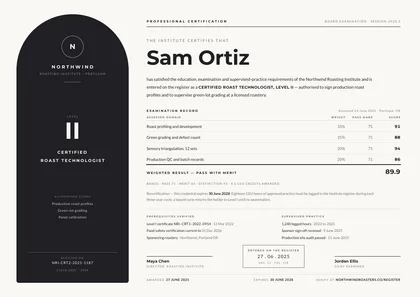
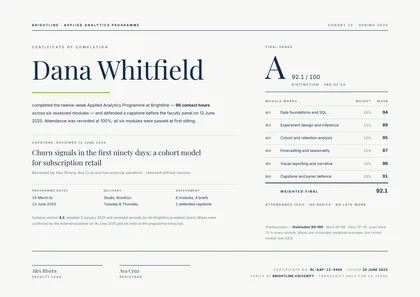
- The recipient's name stays the largest thing on the page. A long name wraps or tightens rather than colliding with the award line beneath it.
- Signatures hold their baseline. Two signatories or three, with titles of different lengths, and the rules still line up across the foot of the page.
- The frame never moves. Borders, seals and crests are fixed page furniture — they do not drift when the text inside them changes length.
- It stays one page. A certificate that reflows onto a second sheet is a broken certificate, so the design refuses to.
Each design's page documents its own behaviour, so you can check it against your longest recipient name before you issue to a cohort.
Certificate templates to get started
See every design →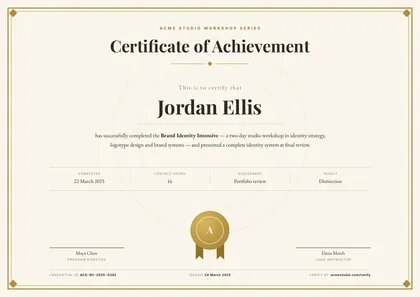
The mechanics behind this are the same for every document type: define the template once, make the parts that change into dynamic fields, and render each certificate through the API.
Building a SaaS whose customers need their own certificate designs? The embedded document editor puts this designer inside your product, white-label, with per-tenant billing.
Start generating certificates today
Free tier includes 2 templates and 50 watermarked PDF renders per month. No credit card required.
Start building free